PariVault wallet guide: sign in, deposit USDT and withdraw to a bank
PariVault holds your balance in USDT. You can fund it from a bank in Russia, Kazakhstan or Uzbekistan, receive local currency in your bank account, or send USDT to another PariVault user. This guide follows the service’s public tutorial and calculator.
Need a wallet for QR payments, virtual card purchases or withdrawals to an external USDT address? Compare PariVault with Altyn Wallet. Altyn requires identity verification to use its payment features.
Explore Altyn WalletSlotBuro may earn a commission if you sign up for Altyn through an affiliate link on this page.
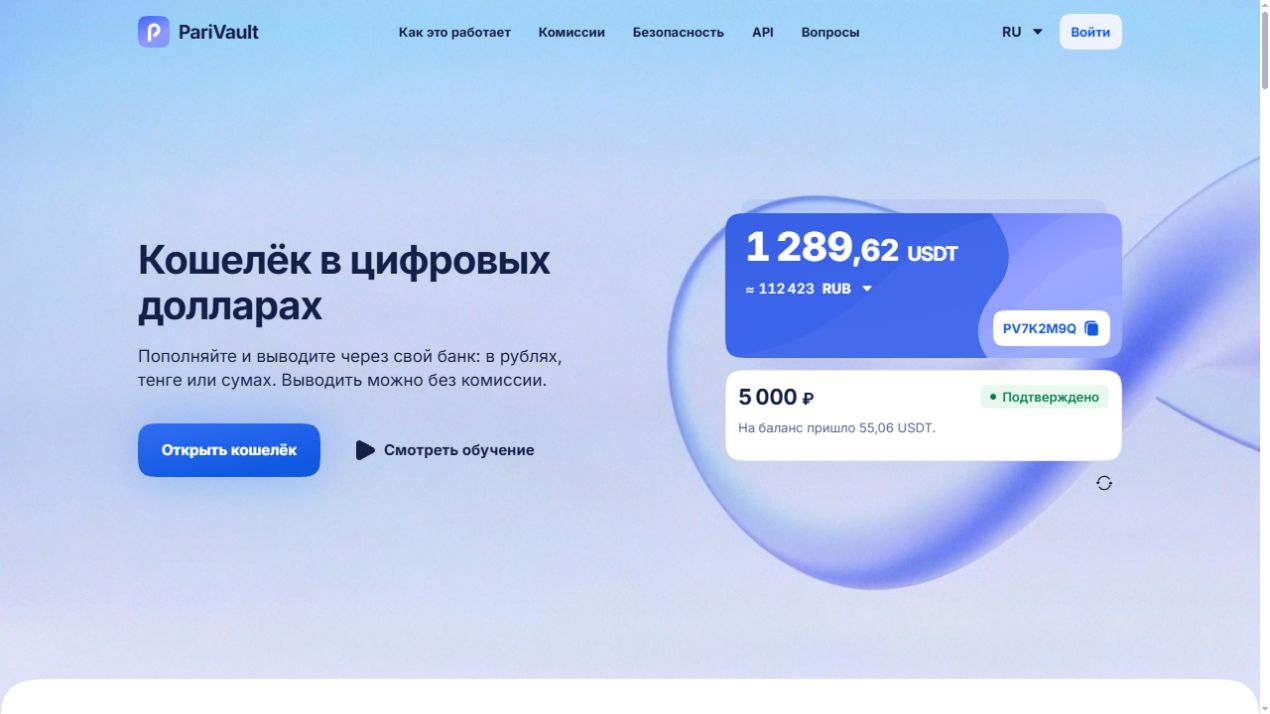
How to sign up for PariVault and log in
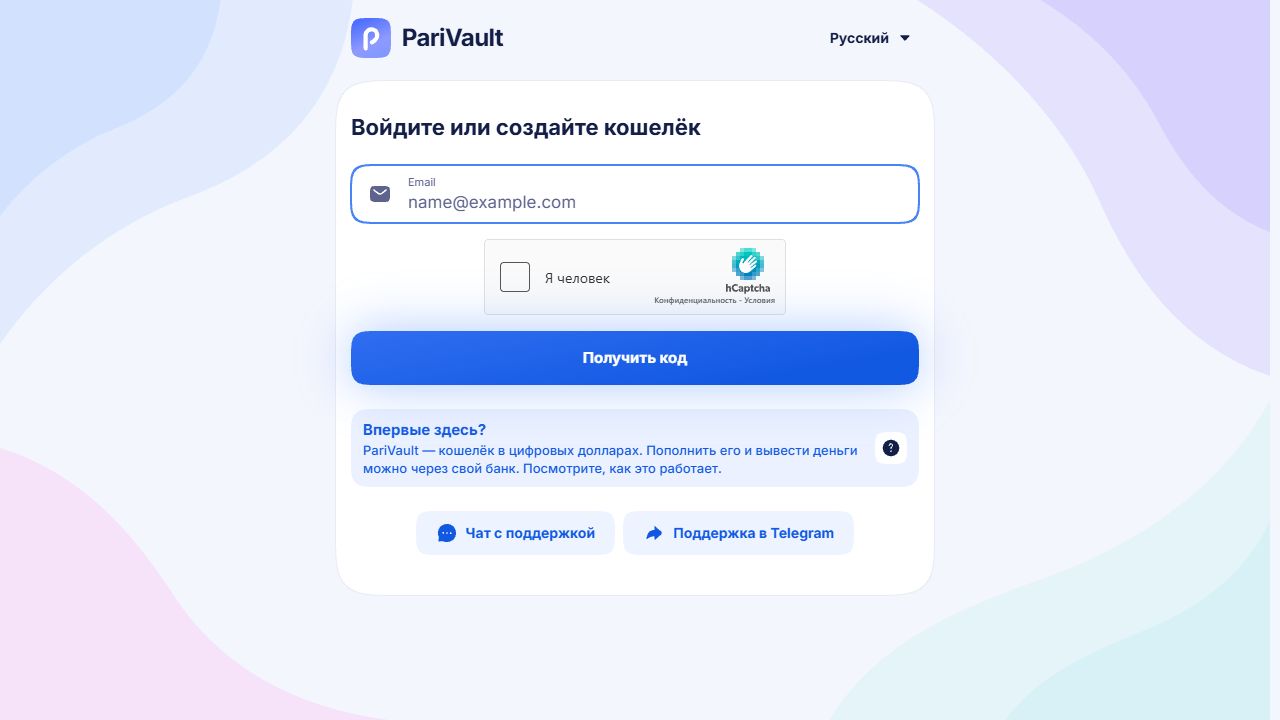
Open the sign-in form on the official website. Enter your email, complete the human verification prompt and request a code. Enter the code from your email on the website. The same form opens an existing wallet. There is no separate password. If the email is delayed, check the address you entered and your spam folder.
The public form asks for an email address. We found no detailed public policy covering possible additional identity or source-of-funds checks. Ask support what applies to you before funding the wallet if this matters to your use case. Enter emailed codes only on the wallet website, including when confirming an internal transfer.
PariVault also lists the Telegram bot @parivault_bot for deposits, withdrawals and transfers. Link Telegram in your wallet settings if you want notifications about incoming bank transfers. The support bot is separate: @parivault_support_bot.
How to deposit into PariVault by bank transfer or in USDT
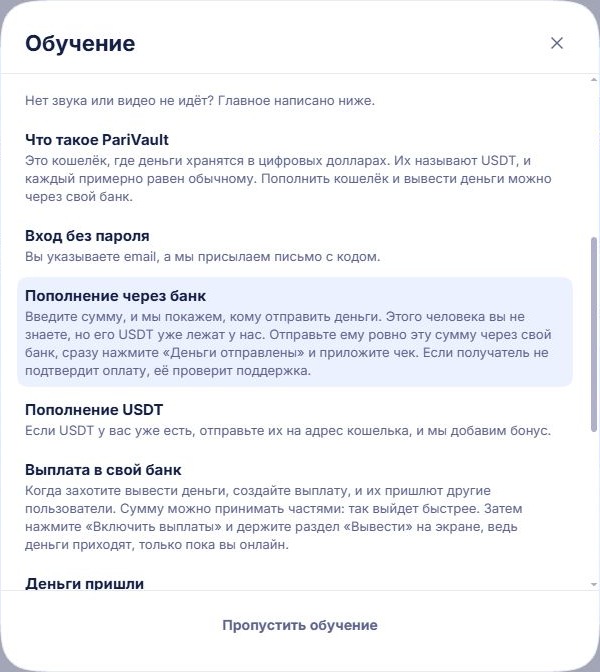
When you fund the wallet by bank transfer, your local currency goes directly to another user. PariVault holds that user’s USDT in advance and credits it to your balance after the bank payment is confirmed.
- Open the deposit section, then choose the currency, payment method and amount. Review the exchange rate, fee, any optional surcharge for payment details and the amount of USDT you will receive.
- Copy the payment details from your request. Check the recipient in your banking app and send the exact amount before the timer runs out.
- Return to the request, mark the payment as sent and attach your bank receipt. Wait for confirmation. If you already sent the funds, leave the request open and contact support if it needs attention.
Depositing USDT on TRON
If you already hold USDT, open the crypto deposit option and copy the address from your account. Select USDT and the TRON network (TRC-20) in the sending wallet. Double-check the address, network and minimum shown on the form. The public calculator listed a 1 USDT minimum and PariVault’s fee schedule listed no service fee for this deposit. The sending wallet or exchange can charge its own fee. Keep the transaction hash until the funds arrive.
How to withdraw from PariVault to a bank account
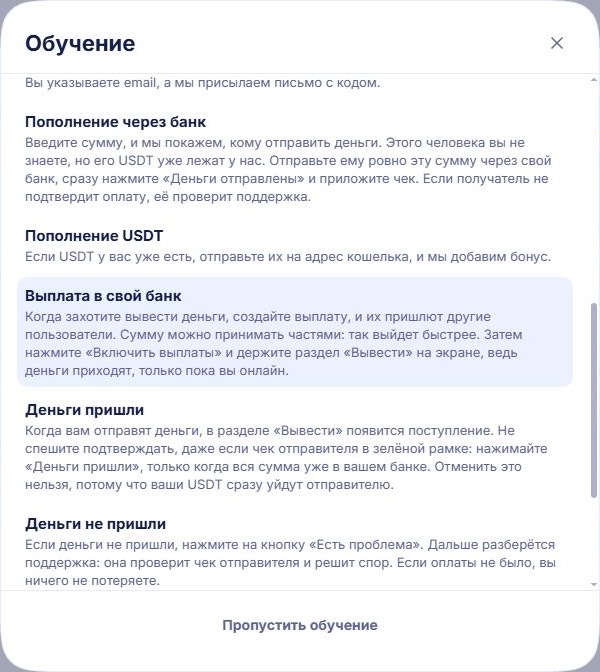
A payout reverses the process. Other users send you RUB, KZT or UZS, and PariVault releases your USDT to them after you confirm receipt. The service gives no fixed payout time. How long it takes depends on when a sender is matched with your request.
- Open the withdrawal section and choose a currency and a method available for your payment details. Check the amount you want to receive and the USDT amount that will be debited.
- Create the request and enable payouts. Choose the option to receive in parts if you are willing to accept several bank transfers. Keep the withdrawal section open or set up Telegram notifications.
- When an incoming payment appears, open your banking app and check the amount actually credited. Confirm receipt only after the payment has reached your bank account. Confirmation releases your USDT to the sender and cannot be undone.
- If the wallet shows a receipt and your bank has yet to credit the transfer, select the option to report a problem. For a split payout, check each bank credit against the amount due for that part.
PariVault fees, limits and processing times
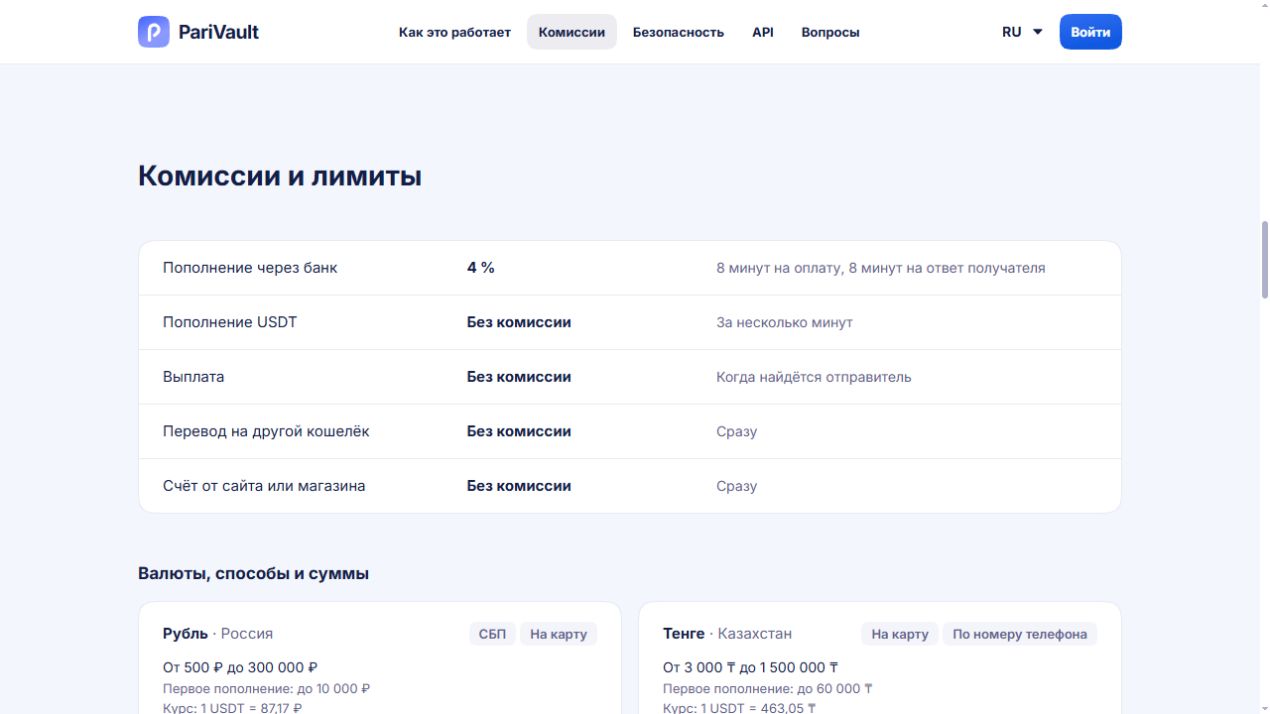
Bank deposits showed a 4% fee on the date checked. The public schedule allowed eight minutes to send a payment and eight minutes for the recipient to respond. These are windows for the users to take action. A dispute or final credit can take longer. Your bank’s terms and any optional surcharge for payment details can affect the total cost.
| Currency | Deposit methods | Range per transaction | First deposit cap |
|---|---|---|---|
| RUB | Russian Faster Payments System (SBP) or card | 500–300 000 ₽ | 10 000 ₽ |
| KZT | Card or phone number | 3 000–1 500 000 ₸ | 60 000 ₸ |
| UZS | Card | 70 000–40 000 000 UZS | 1 500 000 UZS |
The calculator showed the same amount range for deposits and payouts in each of these three currencies. There was a separate cap on the first bank deposit. PariVault lists a 0% service fee for bank payouts, internal transfers and invoice payments. Check the exchange rate and final amounts as well, since a bank or sending service can apply its own charges.
Wallet transfers, merchant invoices and support
Sending USDT to another user
Enter and verify the recipient’s wallet number, which starts with PV. PariVault describes internal transfers as immediate and free. Once confirmed, they cannot be reversed.
Paying a merchant invoice
A merchant using PariVault can issue a link for a USDT invoice. Check who sent the link, what the invoice is for and whether the amount matches your purchase. Businesses can create invoices with the API and receive payment status notifications.
If funds have gone missing
For a bank deposit, attach the receipt from your banking app. If the request has already closed, open it in your account and contact support from that request. If you used incorrect payment details, contact your bank as well. For a TRON deposit, keep the transaction hash and share it via the official support channel.
PariVault vs Altyn Wallet
PariVault fits a workflow that needs a USDT balance and bank payouts in one of three local currencies through another user. Consider Altyn if you want to pay from a ruble balance using QR or a virtual card, or withdraw USDT or USDC to an external address. Altyn’s available products depend on verification and the terms for the specific transaction.
| Feature | PariVault | Altyn Wallet |
|---|---|---|
| Balance and funding | USDT balance. Bank deposits in RUB, KZT or UZS, plus USDT on TRC-20. | Ruble balance. Deposits via SBP, bank account details or supported stablecoins under the available terms. |
| Bank payout | A matched user sends RUB, KZT or UZS. The wait depends on when that user is matched. | Withdraw via SBP, card or other methods shown in the account. Check the payout route for the currency you need. |
| External USDT address | Withdrawals to exchanges and external wallets are unavailable. Use a PV number for internal transfers. | The help centre lists USDT and USDC withdrawals. It quotes 1.5% plus the network fee. Check the network and final cost in your account. |
| Purchases | Pay an invoice issued by a merchant that uses PariVault. | QR payments and virtual cards. Altyn’s help centre lists a Russian passport as a requirement for issuing a Mir card. |
| Identity checks | The public sign-in form asks for an email. The materials reviewed do not specify the rules for additional checks. | Identity verification is required. The help centre describes verification through Gosuslugi or with a passport and selfie. |
If you mainly want to pay by QR or send stablecoins to an external wallet, check Altyn’s terms first. Verify that you can complete identification and review the costs for your intended transaction.
Explore Altyn WalletPariVault frequently asked questions
Can I send USDT directly from PariVault to Altyn?
PariVault says it does not offer external USDT withdrawals. A PV number works only for transfers within PariVault. Routing funds through a bank would be a separate transaction with its own eligibility and costs.
Does a 0% bank payout fee mean there is no exchange rate cost?
The payout fee and the rate used to convert USDT to local currency are separate. Use the payout tab of the calculator to see how many USDT will be debited for the bank credit you want.
Can I cancel a bank deposit?
Yes, before you send the bank payment. After paying, mark the transfer as sent, attach the receipt and contact support if it needs attention.
Can I start without owning crypto?
Yes. PariVault offers bank deposits in rubles, tenge or Uzbek som. The wallet credits your balance in USDT after the bank transfer is confirmed.
Check Altyn Wallet’s terms
See which funding, payment and withdrawal options are available to your account. Compare the full cost of the transaction you need before depositing.
Explore Altyn WalletSources and verification
The screenshots show PariVault’s public Russian-language interface. Figures come from the calculator and public help pages as of the date checked. We did not submit payments or complete identity checks for this guide.